
MenSol Digitizing
Community Savings.
A functioning digital platform that helps communities manage rotating savings groups, the sol, susu, partner, tontine and hundreds of other names this practice carries around the world. Currently in live usability testing with an 11-member group.
Visit mensol.orgOverview
A practice older than banking.
Rotating savings groups have existed for generations across the Caribbean, Africa, Asia, Latin America and immigrant communities worldwide. A group agrees to contribute a fixed amount on a recurring schedule. During each cycle, the full amount goes to one member. The rotation continues until everyone has received their payout.
The formal term is a Rotating Savings and Credit Association, or ROSCA. But it goes by dozens of names depending on where you are.
Known around the world as
How Might We
How might we help community savings groups manage contributions and payouts digitally while preserving the trust and simplicity of the traditional sol or susu system?
The Problem
The service already exists.
It just does not work well enough.
One trusted participant becomes the organizer collecting payments, recording who has paid, managing the payout order and resolving any disagreements. In most groups, all of this lives in a notebook, a WhatsApp thread, screenshots and memory. This creates predictable, recurring failures.
User Research
Who uses MenSol.
MenSol serves two distinct roles within a savings group: the organizer who manages everything, and the members who contribute and receive payouts. Both need the same reliable record but they need it for very different reasons.

- Know immediately who has and has not paid
- Reduce the messages she receives from members
- Avoid disputes about payment records
- Access group information from her phone
- Members send payments without including their names
- Information is spread across several applications
- Correcting a mistake can create tension
- She worries about losing her notebook or phone
“Everyone trusts me with their money, so I need to know that my records are correct.”

- Know when her payment is due without asking
- Confirm that her payment was received
- See exactly when she will receive her payout
- Avoid being marked late
- Does not always remember the payment schedule
- Has to search old messages for confirmation
- Worries about missing a payment due to her changing schedule
- Does not want to repeatedly contact the organizer
“I want to open the app and know exactly what I need to do next.”

- Confirm that cash payments were recorded
- Understand his payment schedule clearly
- Avoid complicated account-management steps
- Know when his payout is approaching
- Password requirements are difficult to remember
- Financial terminology feels intimidating
- Small text is difficult to read
- Worries about pressing the wrong button
“I already understand how the sol works. The app should not make it feel harder.”
User Flows
Guided seven-step flows.
Two core flows define the MenSol experience: creating a savings group (organizer) and submitting a contribution (member). Both are broken into seven steps to reduce complexity and build confidence at each stage.
Flow 1 — Creating a Savings Group
Designed for Marie. The organizer creates a new group, sets up the contribution structure, adds members and launches the first savings cycle.
Flow 2 — Submitting & Confirming a Payment
Designed for Nadège (member) and Marie (organizer). The member reports a payment; the organizer verifies it. Both end up seeing the same confirmed record.
Journey Map
The organizer’s journey.
| Planning | Creating | Collecting | Payout | Next Cycle | Exceptions | Completing | |
|---|---|---|---|---|---|---|---|
| Actions | Identifies members, discusses amounts, plans payout order | Enters group info, adds members, sets schedule, reviews and launches | Checks payment apps, records cash, sends reminders, contacts late members | Confirms total, reviews recipient, resolves missing payments, issues payout | Moves to next period, monitors next set of contributions | Corrects records, responds to missed payments, adjusts payout dates | Confirms every member received payout, closes group, exports records |
| Touchpoints | WhatsApp, calls, MenSol invite tools | MenSol group-creation flow, 7-step setup | MenSol dashboard, Zelle, Cash App, cash | Payout checklist, recipient screen, record | MenSol notifications, updated dashboard | Activity log, correction flow, support | Completion summary, downloadable record |
| Pain Points | Information collected through separate conversations | Long forms feel overwhelming; terminology causes confusion | Payments arrive across multiple channels; cash has no receipt | Manual totals can be inaccurate; late contributions delay payout | Members confuse payment periods; changes lost in group messages | Paper records don’t preserve edits; corrections feel suspicious | Records may be incomplete; recreating the next group takes time |
| Emotions | |||||||
| Opportunities | Setup checklist, payout calculator, templates | Guided flow, progress indicator, inline validation | Contribution dashboard, late filters, receipt uploads | Auto total, payout-readiness checklist, digital record | Auto cycle generation, persistent next-recipient display | Audit trail, correction history, role-based permissions | Completion summary, reuse-group option, downloadable records |
The member’s journey.
| Invitation | Onboarding | Contributing | Monitoring | Payout | Completing | |
|---|---|---|---|---|---|---|
| Actions | Opens invite, reviews group, creates account, accepts rules | Reviews schedule, checks payout order, confirms commitment | Receives reminder, sends payment, submits record, waits for confirmation | Checks payment status, watches payout rotation, reads updates | Receives payout, confirms receipt, reviews remaining obligations | Makes final contribution, reviews history, decides whether to join again |
| Touchpoints | Invitation link, onboarding screen | Member dashboard, payout timeline | Reminder, payment form, pending status | Dashboard, group timeline, notifications | Payout screen, receipt confirmation | Completion summary, history download |
| Pain Points | Invite may not explain commitment clearly | Schedule is hard to scan; payout position unclear | Cash has no receipt; may forget to report payment | Unclear status creates unnecessary concern | May believe contributions end after payout | No personal record after completion |
| Emotions | ||||||
| Opportunities | Clear invite summary, plain-language rules | Personalized schedule, visual rotation, highlighted payout | Receipt upload, pending status, immediate confirmation | Progress tracker, status explanations, activity summaries | Post-payout obligation reminder, receipt confirmation | Completion summary, downloadable history, rejoin flow |
Service Blueprint
Everything that makes the service work.
The app is only the visible layer. This blueprint maps what happens above and below the line of visibility across the full savings cycle — from a user discovering MenSol to completing a group.
| 01 Discover |
02 Create Group |
03 Onboard Members |
04 Collect Contributions |
05 Verify Payments |
06 Complete Payout |
07 Resolve Problems |
|
|---|---|---|---|---|---|---|---|
| Evidence | Website Social media Word of mouth | Progress bar Group summary Launch confirmation | Invitation link Group rules Welcome screen | Due-date reminder Payment receipt Pending status | Awaiting status Confirmed status Activity log entry | Total collected Recipient confirmed Payout receipt | Issue number Correction history Resolution message |
| Customer Journey | Organizer learns about MenSol, reviews how it works, decides to try it | Organizer completes 7-step group setup, sets contribution + payout order, launches | Members receive invite, create accounts, review group rules, join | Members receive reminders, send payments, report contributions via the app | Organizer reviews submissions, confirms or requests more info | Organizer confirms total, records payout to scheduled recipient | Organizer or member reports an issue; both track resolution |
| — — — Line of Interaction — — — | |||||||
| Frontstage | Marketing site, product explanation, FAQ, demonstration | Account creation screen, 7-step flow, payout calculator, review screen | Invitation message, onboarding screens, member dashboard | Reminder notification, amount-due card, payment method selector, receipt upload | Pending-payment list, confirm action, status notification, updated history | Payout-readiness screen, recipient info, record-payout form, completion notification | Report-an-issue form, dispute status, support messaging, resolution confirmation |
| —— Line of Visibility —— | |||||||
| Backstage | Content creation, trust review, legal and privacy prep, translation management | Account validation, group-record creation, schedule calculation, payout math | Invitation delivery, contact validation, role assignment, reminder scheduling | Reminder scheduling, submission storage, receipt storage, group-total update | Status processing, activity-log update, group-total recalculation, notification generation | Total validation, recipient validation, status update, schedule advancement, history update | Issue creation, evidence review, record correction, notification delivery, escalation |
| — — — Line of Internal Interaction — — — | |||||||
| Supporting Systems | CMS Analytics | User DB Scheduling engine Auth | Email / SMS Contact DB Permissions | Notification system File storage Payment DB | Payment records Activity log Audit system | Scheduling engine Payment DB Notifications | Support system Audit log Security review |
| Failure Points | Users believe MenSol holds their money; language feels unfamiliar | Incorrect dates; payout order incomplete; organizer exits before finishing | Invite not received; member can’t create account; payout order unclear | Member forgets to report payment; cash has no receipt; wrong amount submitted | Member believes “submitted” means “paid”; duplicate payment recorded | Total incorrect; late member delays payout; recipient not notified | Users don’t know how to report; original record deleted; issue unresolved |
Key Insights
What the research revealed.
Design System
The contribution status system.
Financial status information cannot rely on color alone. Each contribution state uses text, icon and a clear explanation — readable by any user regardless of digital confidence or vision ability.
Wireframes
Low-fidelity explorations.
The wireframe stage focused on structure, content hierarchy and task completion not visual styling. The priority was making sure both organizers and members could find the right information and complete their most important tasks without friction.
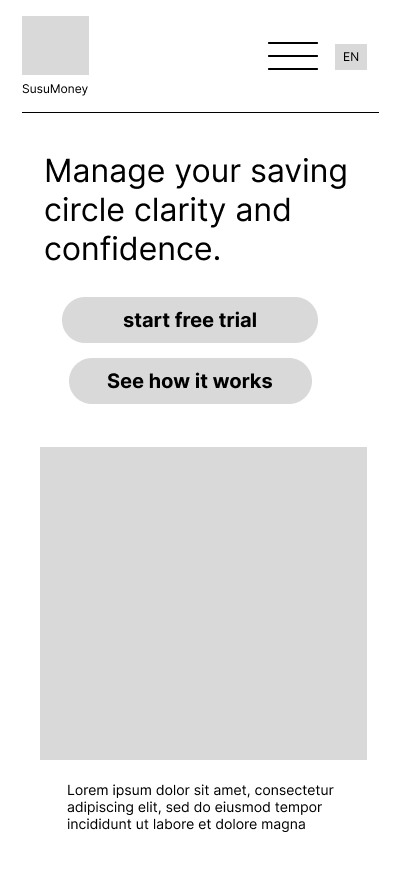
Dashboard overview

Contribution tracker

Payment submission
The Product Today
MenSol is live.
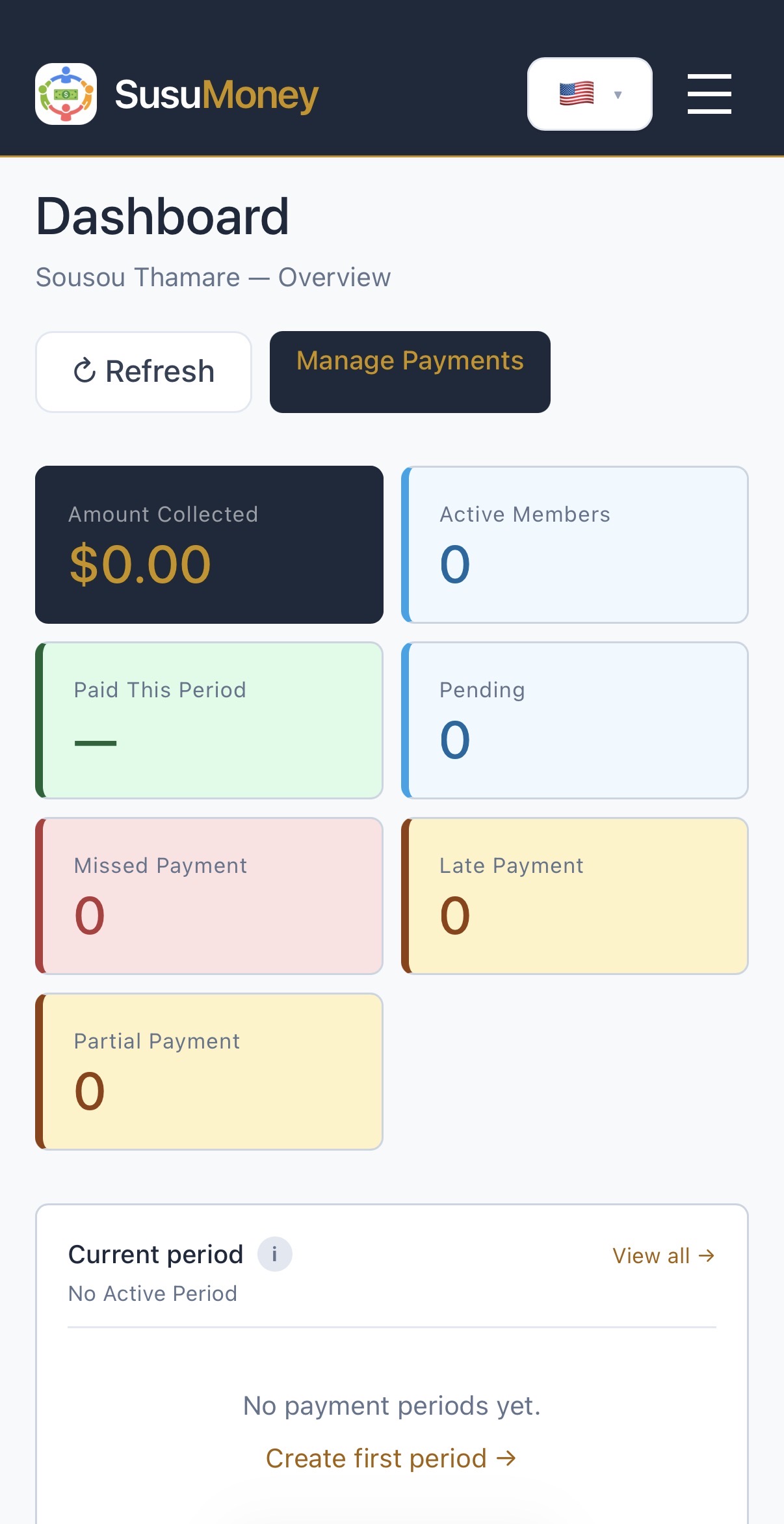
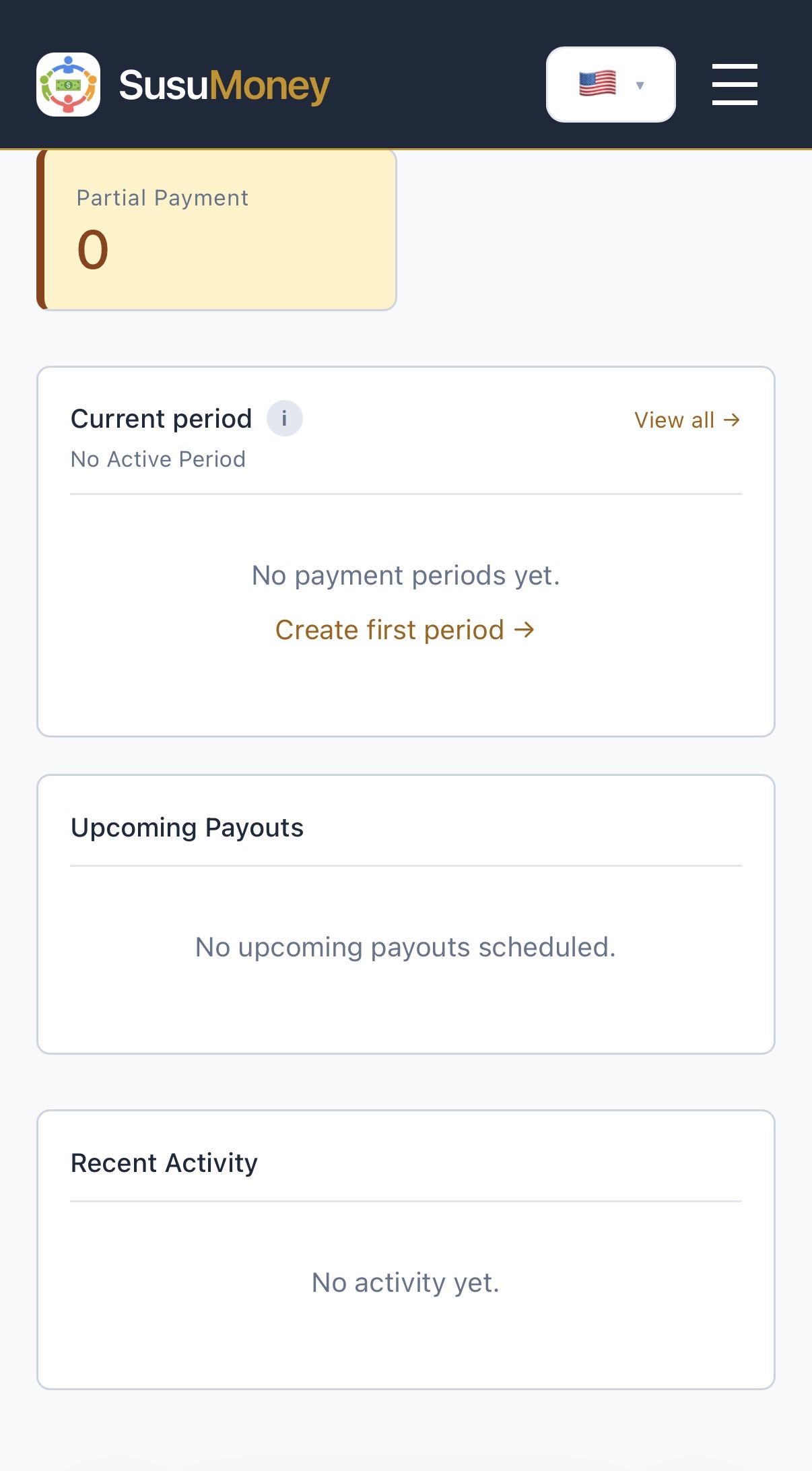
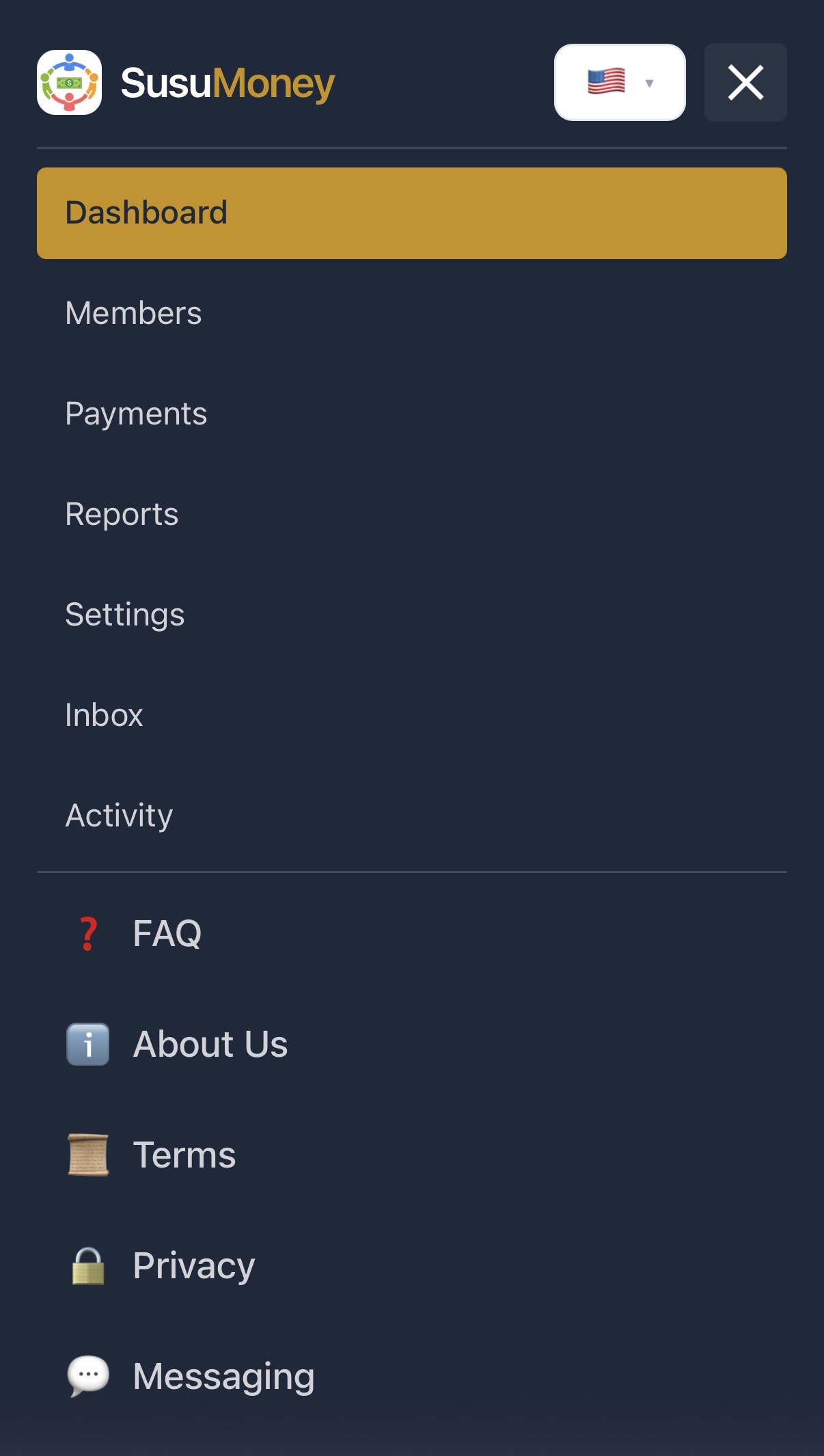
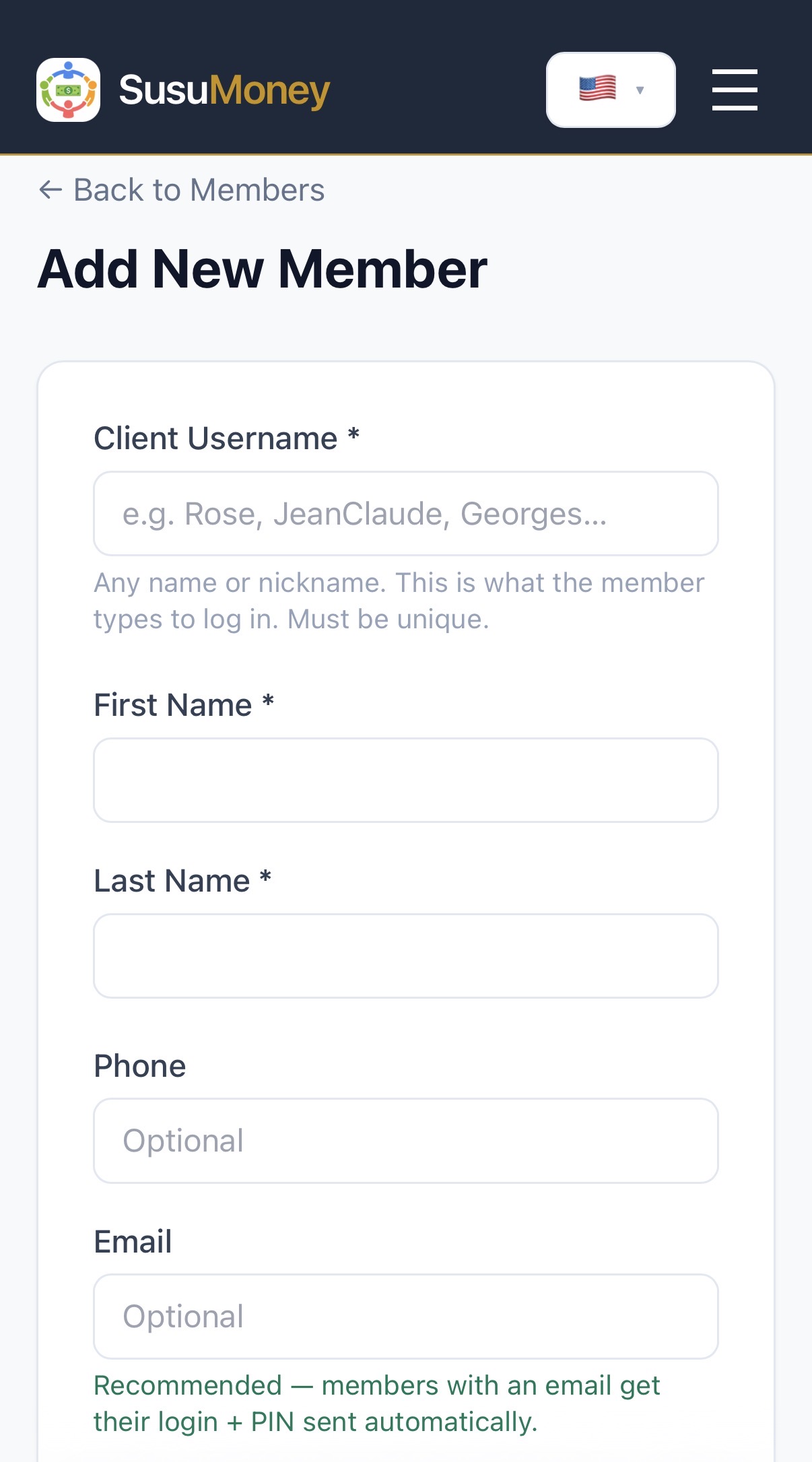
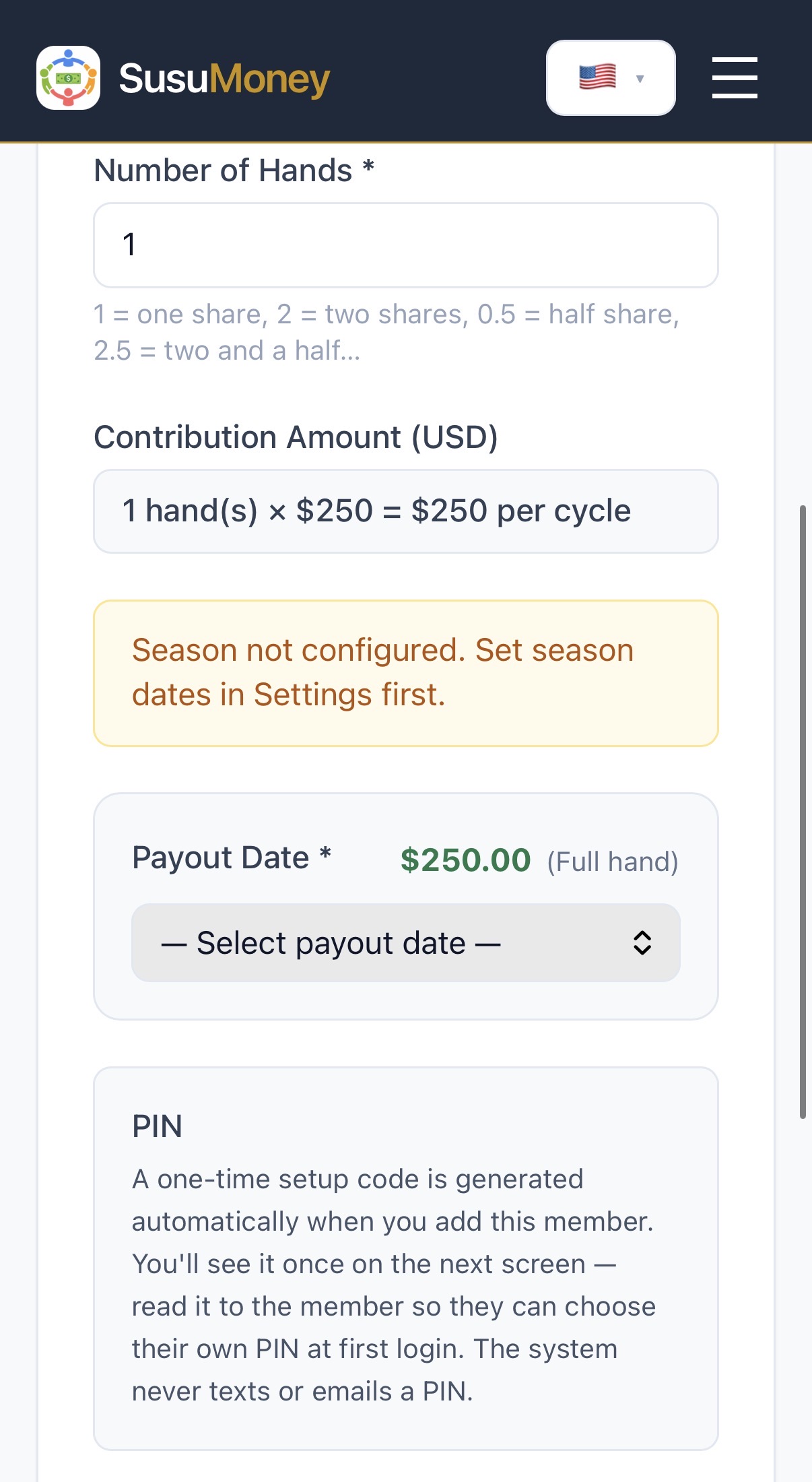
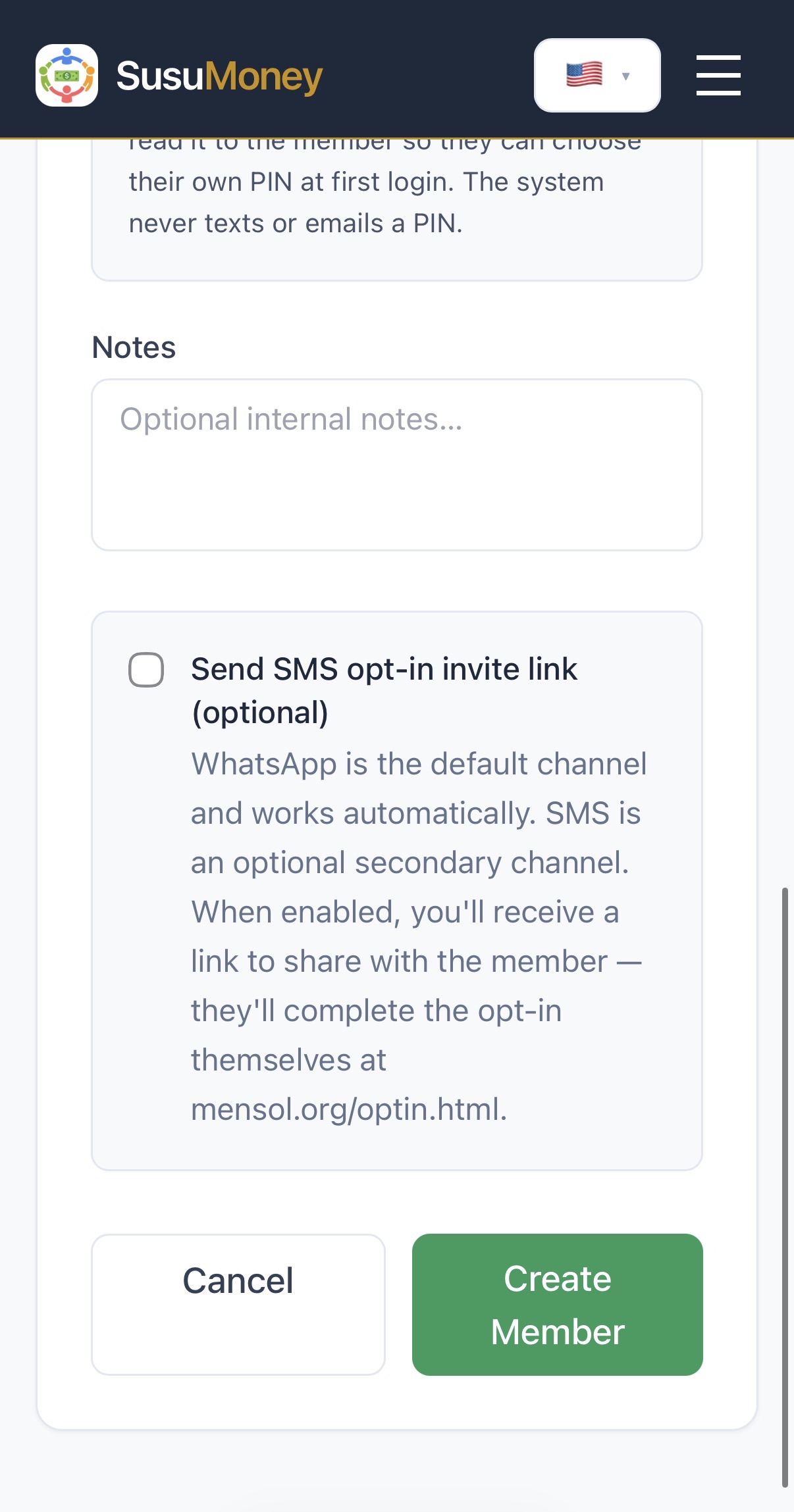
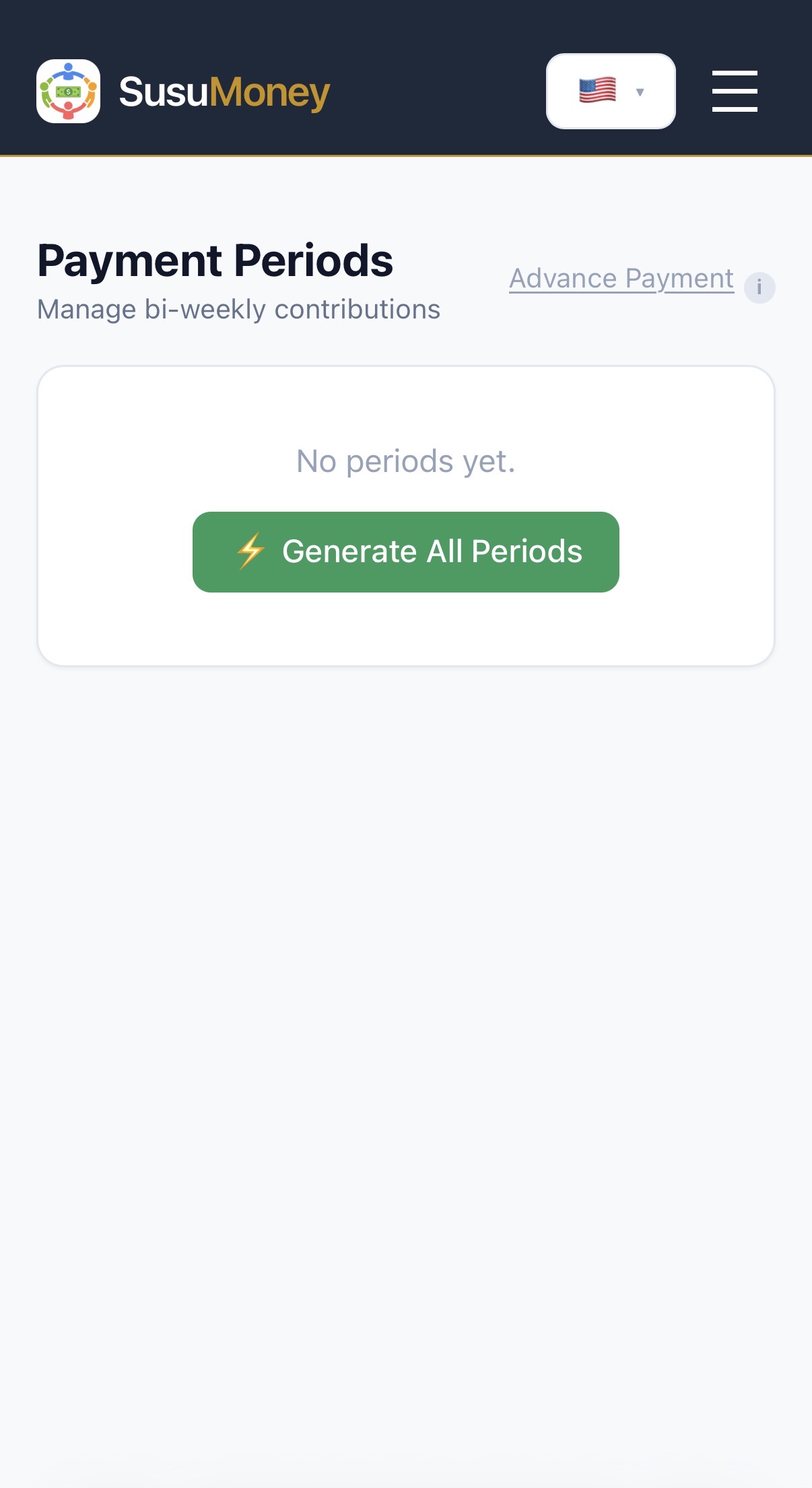
MenSol has moved beyond the concept stage. A functioning version of the product is currently being used by an active savings group with 11 members. The current focus is identifying where the experience can become easier, faster, more transparent and more trustworthy. Usability testing is currently being conducted in English, Haitian Creole, French and Spanish.
Visit mensol.org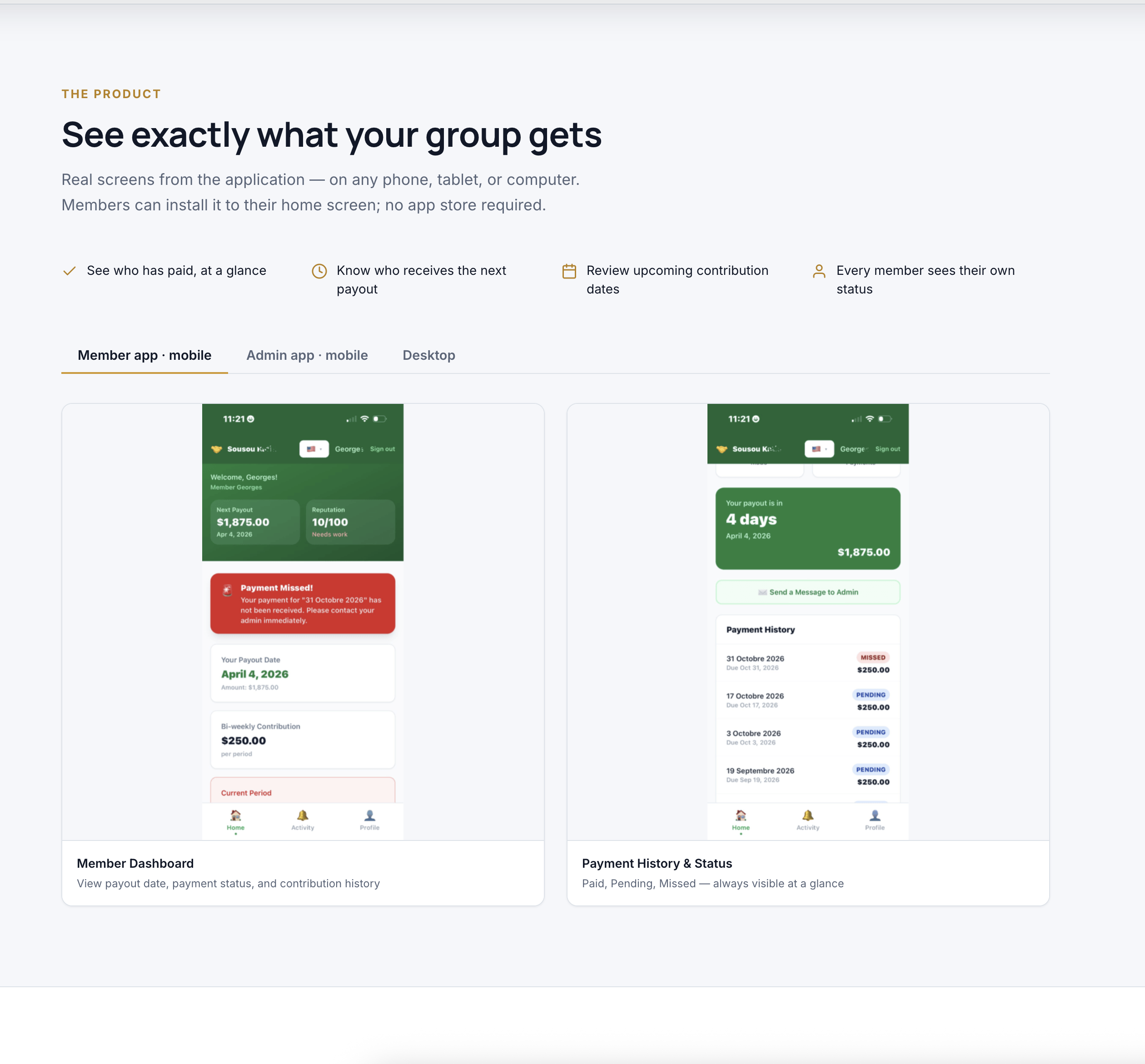
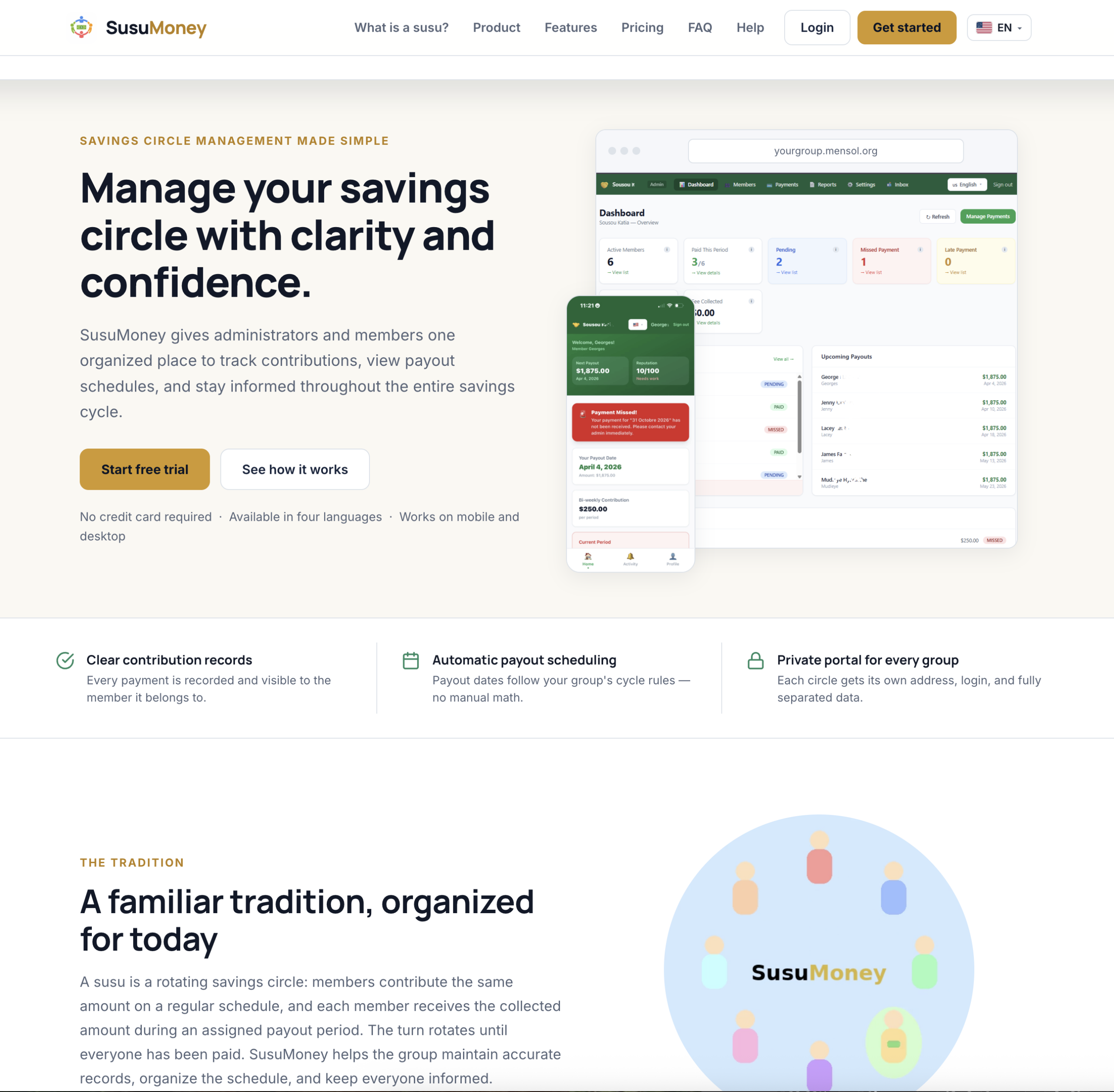
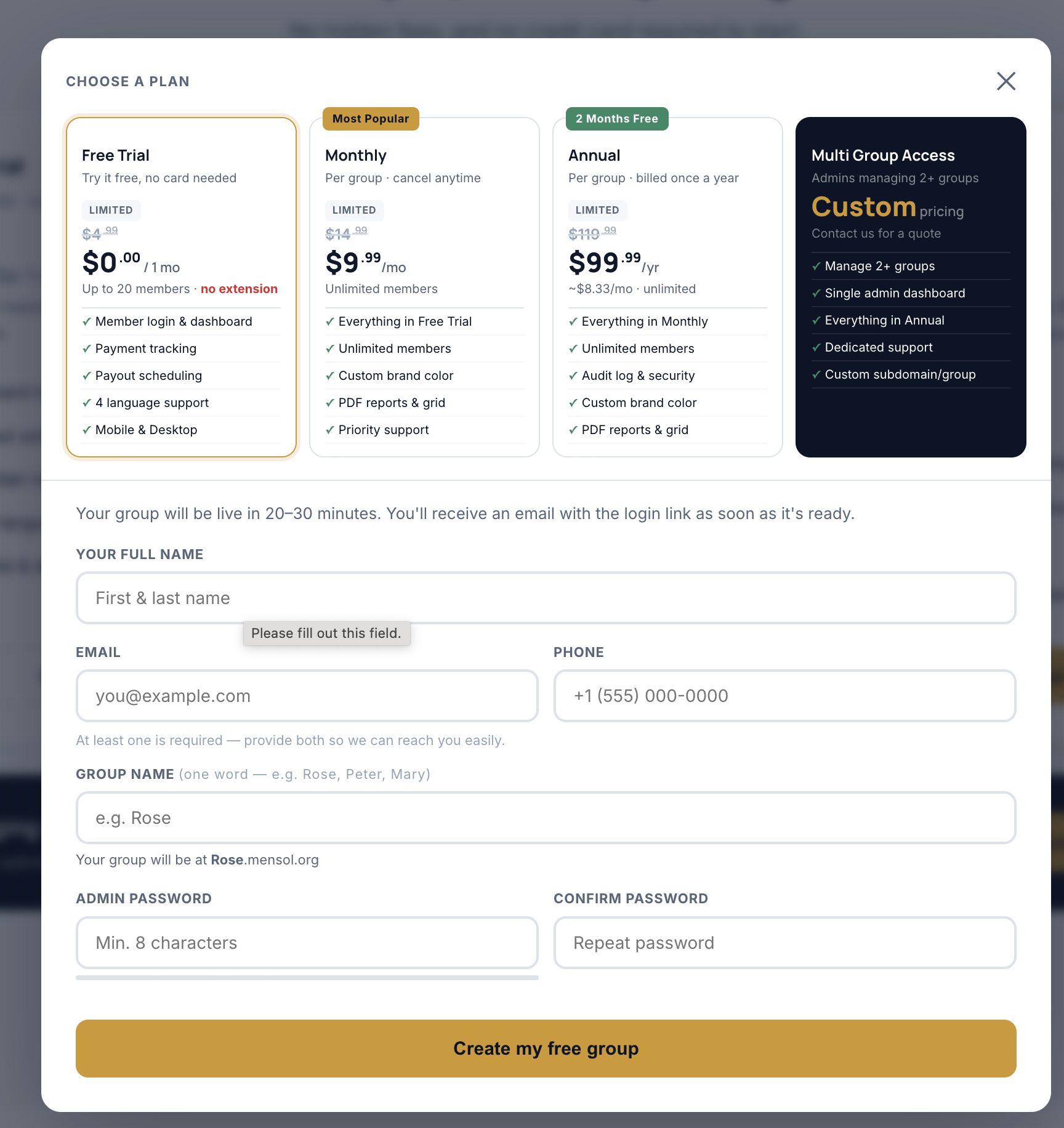
Mobile experience
Usability Testing
Testing with real users, in real cycles.
MenSol is tested with an active 11-member savings group — not a simulated environment. This allows evaluation of real payment behavior, real communication patterns and real trust concerns across a live contribution cycle. Testing is currently being conducted in English, Haitian Creole, French and Spanish.
View full testing documentationPrimary testing objectives
Usability findings (in progress)
Proposed success criteria
These are proposed benchmarks and should not be presented as achieved results until testing is complete.
What’s Next
The work continues.
MenSol is not finished. The pilot is informing a larger set of product, service and brand improvements before a wider public launch.
Reflection
“The organizer was not only entering information into a notebook. The organizer was providing an entire service — communication, payment verification, scheduling, conflict resolution and emotional responsibility. The application could not improve the experience unless it also addressed the work, systems and relationships surrounding it.”
MenSol demonstrates how product design can modernize a long-standing cultural practice without removing the community relationships that make it meaningful. The challenge was not converting a notebook into a screen. It was understanding the trust, responsibility and financial visibility that the notebook represented — and building a service that carries all of it.